


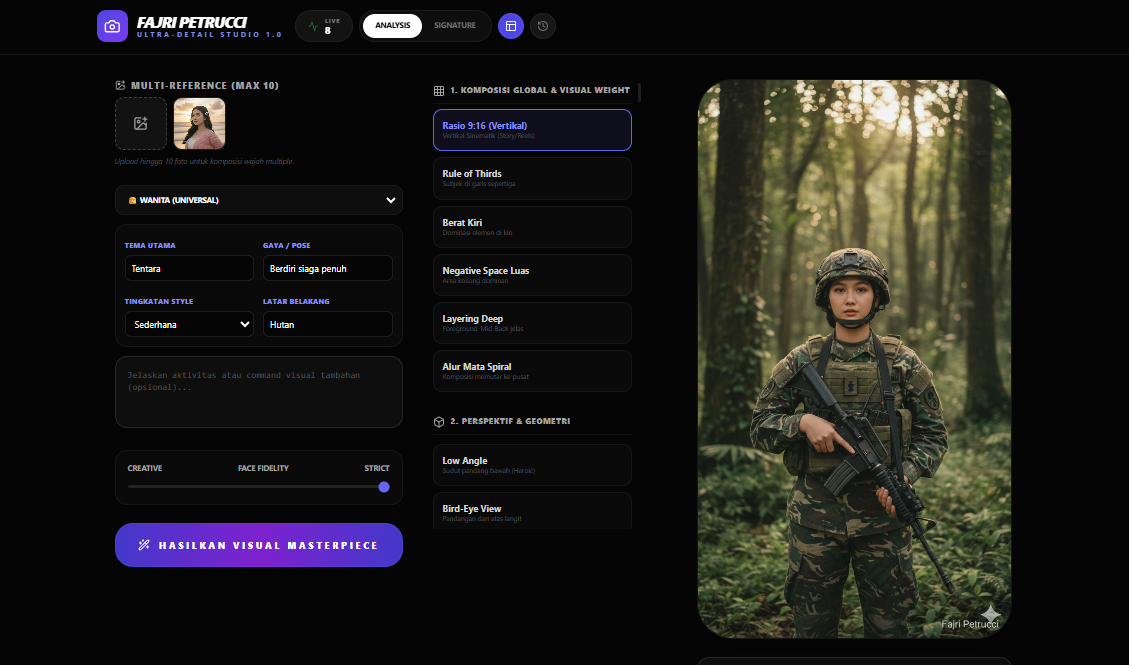
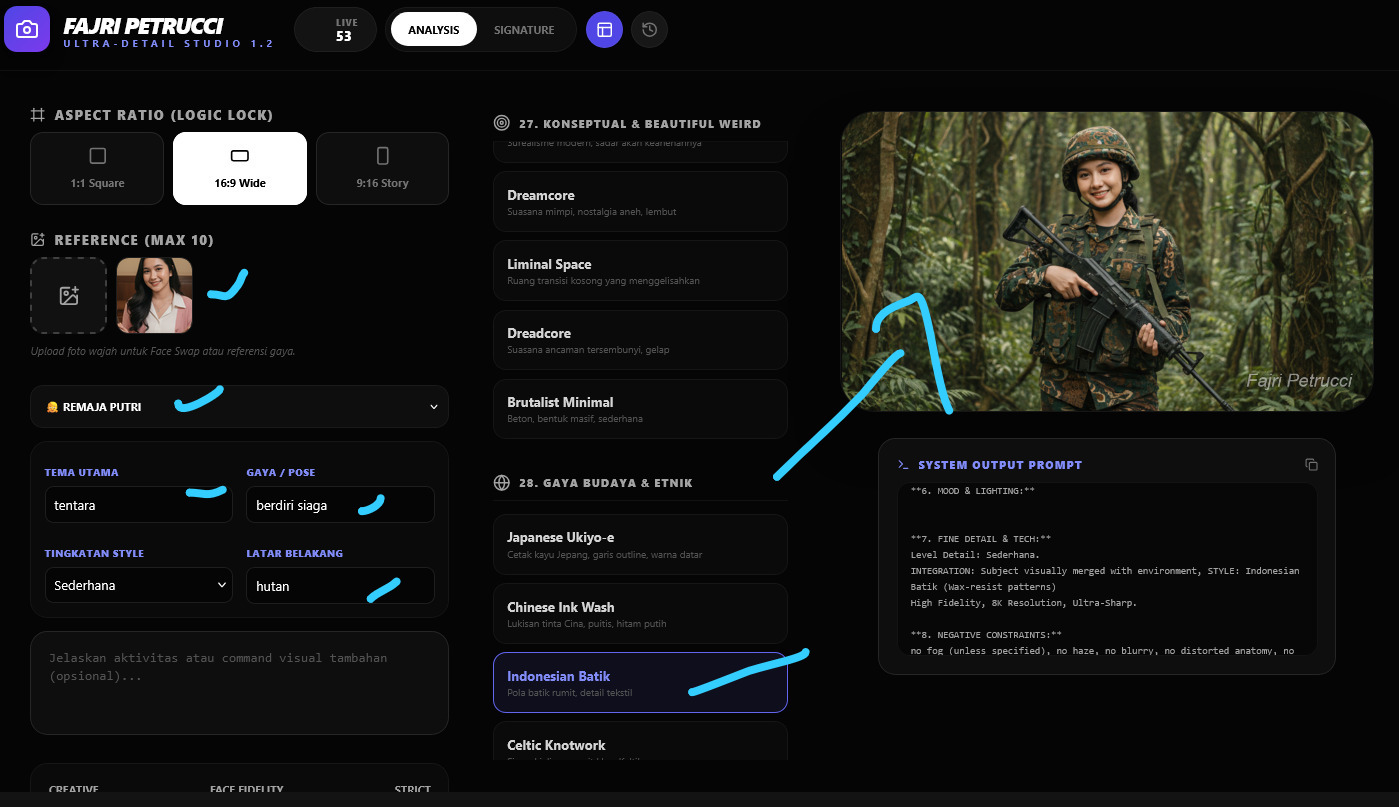
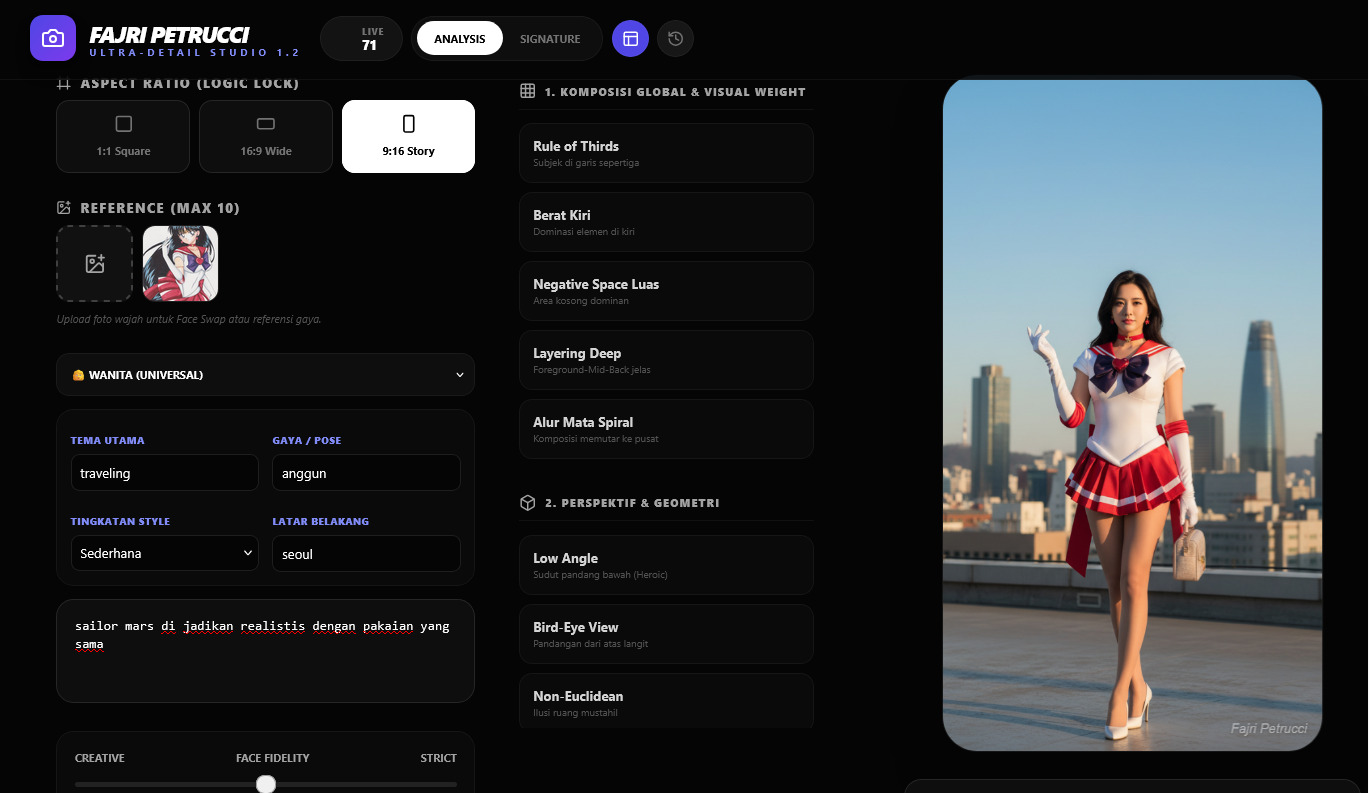
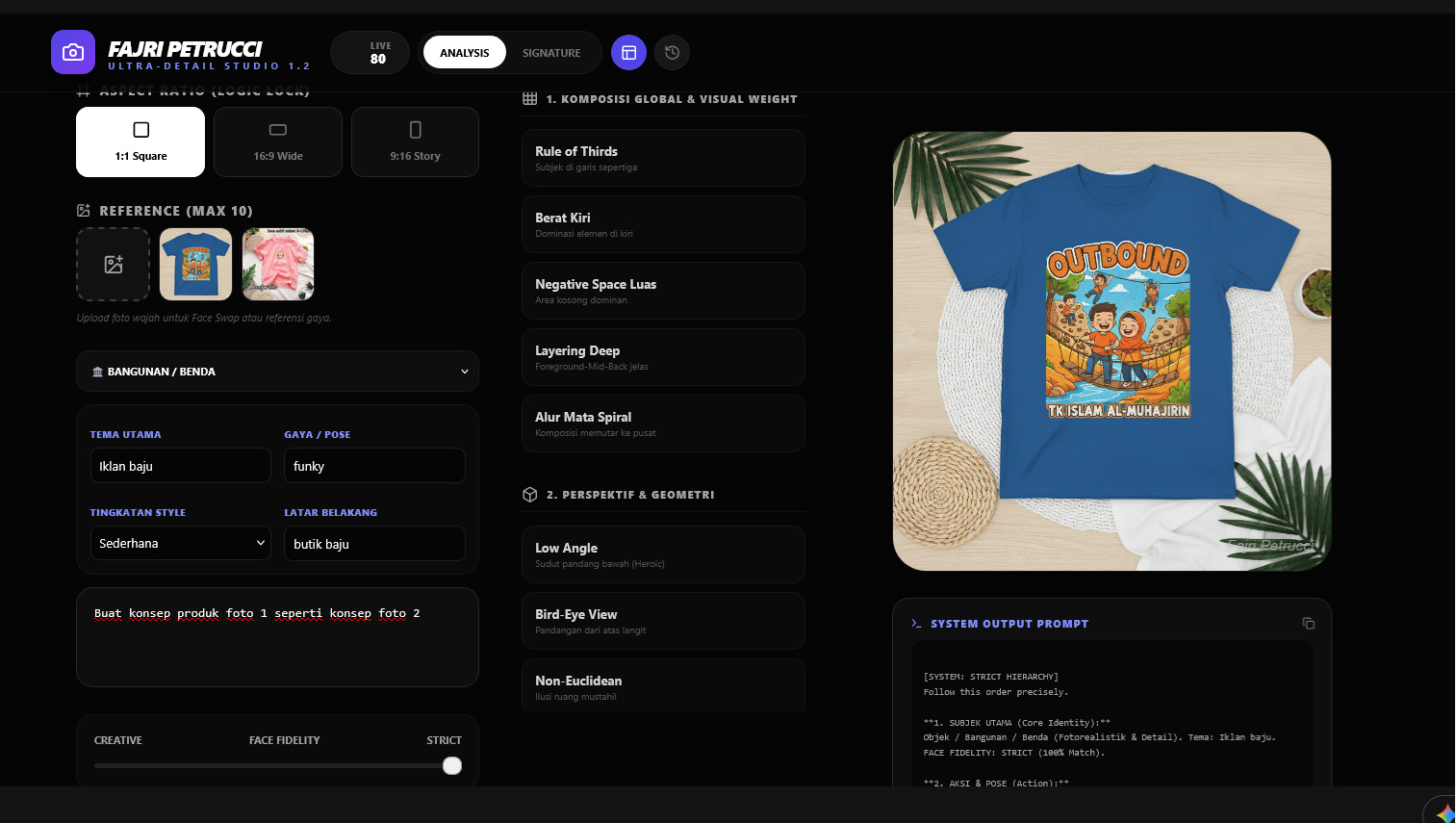





*Recommendation: Use on Laptop/PC for maximum results
In the rapidly evolving world of AI art, the biggest challenge facing creators today is not just generating a good image—it’s generating a good image consistently.
A prompt that works once might fail the next time if the technical structure shifts even slightly. To solve this, a new solution has emerged: a Free AI Prompt Builder application developed using Gemini Canvas.
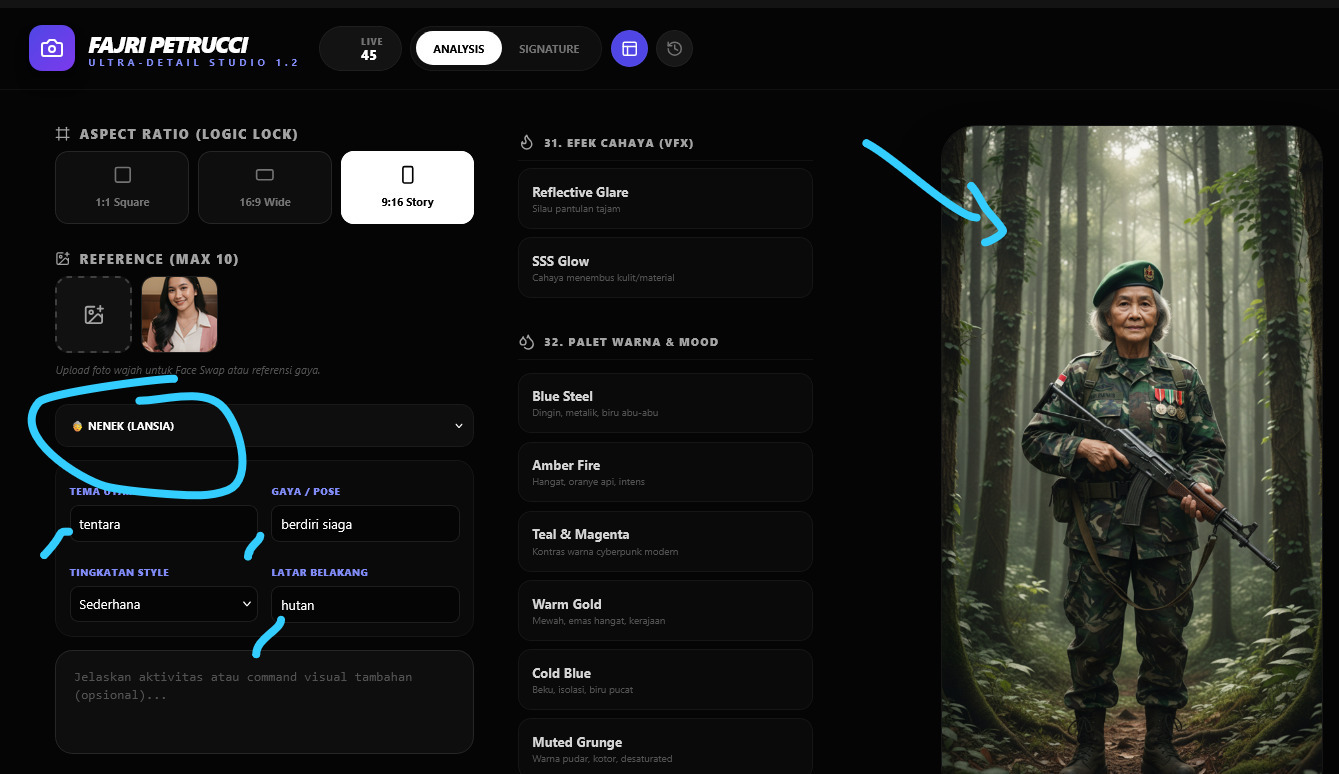
Created by Indonesian AI Artist Fajri Petrucci, this tool is designed specifically to help creators structure their prompts, maintain stylistic consistency, and streamline their creative workflow. It’s not just a generator; it’s a blueprint for your imagination.
The Common Struggle: Why Prompts Fail
Whether you are a beginner or a seasoned pro, you have likely encountered these “Prompt Fatigue” issues:
1. The “Wall of Text” Problem Prompts are often written as one long, messy paragraph. This makes them:
Difficult to edit or debug.
Prone to missing key details.
Inefficient for reuse.
2. The Consistency Trap You create one masterpiece, but you can’t replicate the style for a second image because:
The prompt structure changed.
Technical parameters were forgotten.
There is no system to save the successful workflow.
3. Losing Focus on Creativity Instead of focusing on the visual concept, creators waste time fixing syntax, rearranging words, and troubleshooting errors.
What is the AI Prompt Builder?
This application is a free workflow tool built on the advanced capabilities of Gemini Canvas. It is engineered to help you:
Construct prompts modularly.
Lock in your visual identity.
Speed up production without sacrificing quality.
It is not a magic button. It is a professional assistant that organizes your thoughts into a language that advanced AI models (like Gemini Nano Banana, Stable Diffusion, or Flux) understand perfectly.
Key Features
1. Modular Block System
Forget the single paragraph. This tool breaks your prompt down into logical building blocks:
Core Concept: The main subject and action.
Visual Style: The artistic direction (e.g., Cyberpunk, Oil Painting).
Technical Details: Resolution, aspect ratio, camera type.
Lighting & Atmosphere: Volumetric lighting, mood, time of day.
Negative Prompts: What to exclude.
This “Block Approach” ensures your prompt is clean, editable, and structurally sound.
2. Reusable Workflows
Found a style that works? The app allows you to standardize your structure. You can swap out the subject (e.g., “A Cat”) for a new one (e.g., “A Robot”) while keeping the exact same lighting, camera, and style settings intact. This is the secret to creating consistent image series.
3. Creativity First, Syntax Second
By automating the structural organization, the tool frees your mind to focus on the Idea. You provide the creative input; the system handles the technical formatting optimized for Gemini Nano Banana and other engines.
4. 100% Free Access
In the spirit of community growth, this tool is completely free. No subscriptions, no paywalls. It is accessible to everyone from hobbyists to professional studio artists.
Who Is This For?
AI Visual Artists: Who need to maintain a specific “signature style” across multiple works.
Prompt Engineers: Who want a cleaner environment to experiment and debug.
Content Creators: Who need to generate uniform assets for social media or branding.
Beginners: Who want to learn the correct anatomy of a high-quality prompt.
Conclusion: A System for Thinking
What sets this AI Prompt Builder apart is its philosophy. It doesn’t just give you words; it teaches you a System of Thinking.
By organizing your input, you train yourself to think like a director—considering light, composition, and texture separately. For creators looking to professionalize their workflow and banish inconsistency, this tool by Fajri Petrucci is an essential addition to your digital toolkit.
